codeSpark - Coding for Kids
codeSparkEducational
3.51.64K Reviews
- Version
- 4.31.06
- Installs
- 1.00M
- Age Rating
- Everyone
Screenshots
Our Review of codeSpark - Coding for Kids
 Analysis by Appyee
I’d judge a coding game for children less by how exciting its first session feels and more by whether it still has a useful place in the week after the novelty wears off. codeSpark - Coding for Kids makes a lively first impression, but its stronger case is that it gives young learners a playful way to practise thinking in steps. I see it as a possible starting point for children who are curious about how games work, rather than a substitute for every kind of coding lesson.
What to expect from the first sessions
The game is made by codeSpark and is aimed at children from 3 to 10, with an Everyone age rating. Its colorful presentation and character-led puzzles are designed to make the first encounter feel approachable, even for a child who has never seen a programming lesson. In my view, that low-pressure entry matters: a child can explore a challenge before needing to understand technical terms.
The basic appeal is easy to explain to a child: guide a character through a puzzle by arranging instructions in the right order. That gives the adult nearby a natural opening to ask, “What do you think will happen if we change this?” Such small conversations can turn a screen session into shared problem-solving, without requiring a parent to teach code themselves.
A small routine is more useful than a long session
For a young learner, I’d make this a short, predictable activity rather than an all-afternoon destination. A puzzle or two after school, or a few minutes while waiting for dinner, is easier to fit into family life and gives the child a chance to return with a fresh mind. The useful habit is not simply opening the game; it is pausing to explain the plan, try it, and notice what changed.
That approach also makes the game easier to share between siblings or classmates with different levels of confidence. An older child can talk through a sequence while a younger one predicts the outcome, then they can swap roles. I would avoid turning stars or progress into a contest, though: the more valuable conversation is about why a solution worked, not who moved fastest.
Engaging Interface and Gameplay
The first thing that caught my eye was the bright, colorful interface. The design is super engaging, making it feel more like a game than a learning app. Kids are naturally drawn to it, and that’s a big win in keeping their attention.
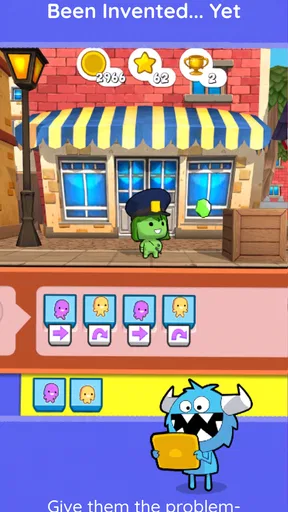
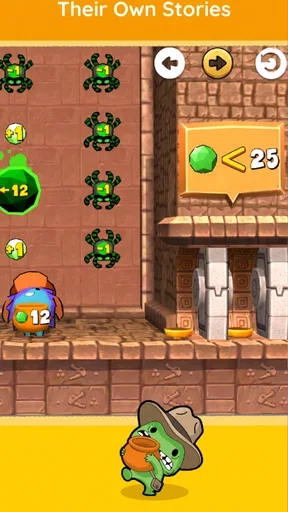
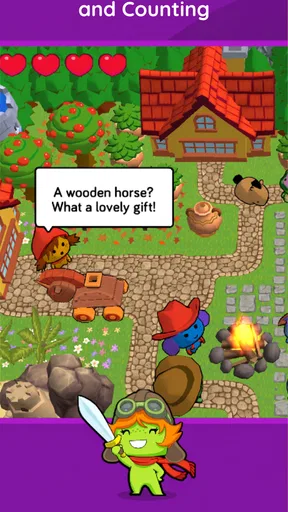
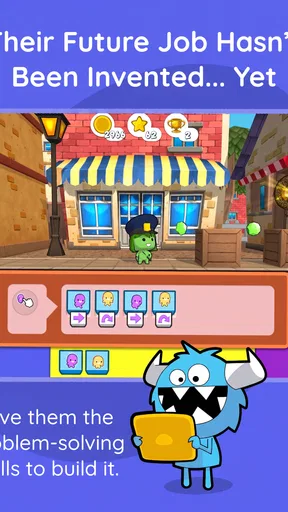
Once you open the app, you’re greeted by the adorable Foos—little characters that help guide the learning process. The app uses these characters to teach coding concepts through interactive puzzles and challenges, which are not only fun but also quite educational. It’s like sneaking veggies into a meal—kids enjoy it while learning valuable skills.
How It Works
The app is designed for kids aged 5 to 10, and it does a fantastic job of breaking down complex concepts into manageable chunks. The learning journey is broken into different worlds, each with specific tasks and challenges. As kids complete tasks, they earn stars and unlock new levels, which keeps them motivated to progress.
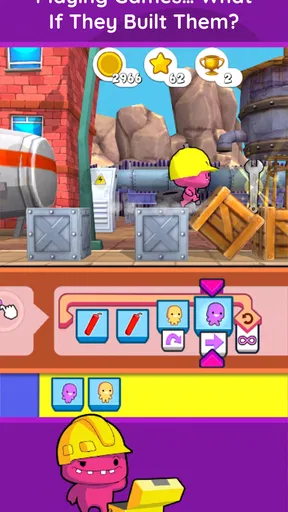
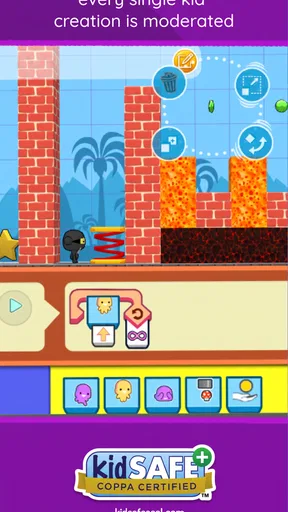
What’s really cool is that the app doesn’t just throw code at kids. Instead, it uses a visual programming language, which is essentially drag-and-drop coding. This method helps kids understand the logic behind coding without getting bogged down by syntax, making it accessible and fun.
Learning Through Play
One of the standout features of codeSpark - Coding for Kids is how it disguises learning as play. The app includes a vast array of puzzles and games that teach fundamental coding concepts like sequencing, loops, and conditionals. These are foundational skills in programming, and the app does a great job of introducing them in a playful manner.
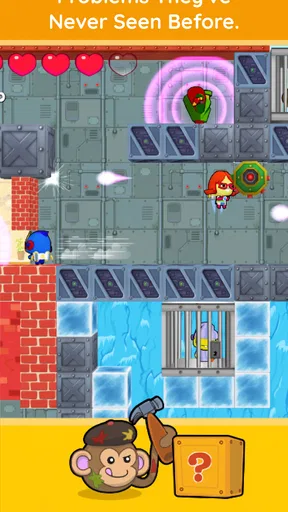
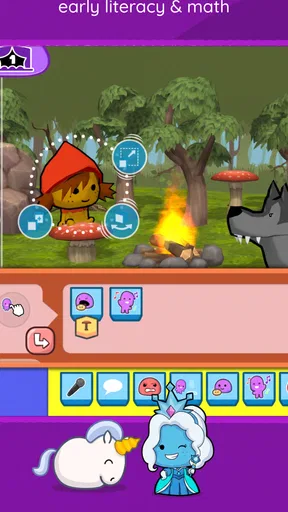
Additionally, there’s a creativity suite where kids can build their own games and stories. This sandbox mode is fantastic because it allows kids to apply what they’ve learned and express their creativity. It’s a great way for them to experiment and see how different coding elements interact.
Making the creative tools count
I’d bring the build-your-own activities into the routine after a child has solved a few guided puzzles. That sequence gives them something to draw on: instead of treating the creative area as a blank canvas, they can borrow a pattern they have just practised and change one piece at a time. For example, ask them to make a character do one familiar action in a different order, then explain what they changed. This turns experimentation into a gentle bridge between following instructions and making decisions.
There is a trade-off here. A child who loves open-ended art may want freedom without puzzle rules, while a child who prefers clear goals may not know what to make in a sandbox. I’d offer a small prompt—create a short story with a beginning and an ending, or change one part of a game—rather than expecting the app to supply the whole creative idea. That makes the activity less likely to stall once the first burst of exploration is over.
Accessibility and Ease of Use
The app is incredibly user-friendly. Even if you’re not tech-savvy, setting it up is a breeze. Plus, it's available on both Android and iOS, so you can access it on most tablets and smartphones. The app runs smoothly, and I haven’t encountered any bugs or glitches, which is always a plus.
Another thing I appreciate is the lack of ads. Kids can explore and learn without distractions, which is crucial for maintaining their focus and allowing for uninterrupted learning.
Choosing the right device and setting expectations
Although phones and tablets make the game convenient to reach, a larger tablet screen can be more comfortable when a child is arranging visual instructions or showing a parent what they built. If the family mainly has a phone, I’d keep sessions shorter and stay close enough to help with the small controls if needed. The best device is the one the child can use comfortably, not the one that promises the longest play session.
The game is free to download, but it includes in-app purchases ranging from $3.99 to $119.99 per item. I’d treat that as a reason to review purchase settings with a child before handing over the device, rather than assuming every part of the experience is a one-time free activity. If you are evaluating it for a household, decide in advance whether you are only exploring the free entry point or are willing to consider purchases; that simple boundary prevents an enthusiastic child from mistaking an available option for permission to buy.
Its current version is 4.30.01 and it requires Android 5.1 or later. Those details are practical checks before installing on an older device. The game has been available since November 3, 2014, and its audience has grown to more than a million installs. I’d still judge its suitability by how your child responds to the actual puzzles and routine, not by longevity alone.
Where it fits among coding activities
Compared with a block-coding tool that puts creation front and center, this game is more guided and game-like: the puzzles give a young child a defined problem to solve before asking them to invent much on their own. That structure can be a real advantage for a beginner who would otherwise stare at a blank workspace. On the other hand, a child already eager to build larger projects may soon want a more open-ended coding environment, or lessons that connect visual blocks to text-based programming.
It also differs from a printed workbook or an adult-led lesson. The interactive format provides immediate feedback through the challenge itself, which can keep a child engaged without an adult explaining each step. A workbook may suit a family that wants less screen time, while a live class may be better for a child who learns through conversation and needs a teacher to adapt explanations. I’d choose this game when playful, independent practice is the goal, not when the family needs a complete curriculum or a direct path to professional coding tools.
Maintenance, fatigue, and reasons to pause
The main maintenance burden is not technical; it is keeping the activity purposeful. A parent can occasionally ask the child to describe a solution, suggest a new puzzle after a break, or revisit a creation and improve one part. If the game becomes an automatic reward with no conversation around it, the child may still enjoy playing, but the learning value is harder to see. I’d keep it as one option among drawing, reading, building toys, and outdoor play rather than making daily use a requirement.
Repetition can also become a source of fatigue. A child who likes clear progress may happily work through a sequence, while one who is impatient with retries may get frustrated when a character does not behave as expected. In that moment, resist solving the puzzle for them: ask them to predict what the instructions will do, then test just one change. If frustration keeps outweighing curiosity, stopping for the day is better than turning coding into a chore.
The game has an average rating of 3.5 from around 13,000 ratings, alongside roughly 1,600 written reviews. I take that as a reminder that a polished, appealing concept won’t be the right match for every household. The key question is whether your child enjoys working through a problem and trying again, rather than whether the characters are cute during the first few minutes.
Encouraging Problem Solving
One of the biggest benefits of using this app is the development of problem-solving skills. As kids work through challenges, they learn how to think logically and troubleshoot when things don’t go as planned. These are invaluable skills not just in coding, but in everyday life.
The app also encourages perseverance. Some puzzles can be quite challenging, and kids need to try different approaches to solve them. This trial-and-error process helps build resilience and teaches them that failure is just a step towards success.
Who will get the most from it
I’d recommend trying it with a child who is interested in puzzles, games, or making up stories, especially if they are not yet ready to type code. It can also work well for a parent who wants a clear activity to do together without needing to arrive with a programming background. For a teacher, it may be a useful supervised station during a broader lesson, provided the goal is introductory logic and not a full coding unit.
I’d be more cautious if a child is already building projects elsewhere, dislikes guided levels, or has had enough screen-based learning during the day. In those cases, a physical logic puzzle, a collaborative class, or a more flexible creation tool may be a better next step. The age range is broad, so the same presentation will not automatically suit every child within it; confidence, reading comfort, patience, and interest matter more than age alone.
Community and Support
There’s a supportive community around codeSpark, and the developers frequently update the app with new content and features. They offer excellent customer support, so if you ever run into issues or have questions, help is just a click away.
And for educators, there are additional resources available to help integrate the app into a classroom setting. It’s a versatile tool that can be adapted for different learning environments.
My longer-term recommendation
For lasting value, I would give it a modest role: a recurring, low-pressure way to practise sequencing and logic, with occasional creative challenges that let a child make the ideas their own. To see whether it earns that place, try a few short sessions and notice what happens after the first excitement passes. Does your child explain a choice, come back to a puzzle, or ask to change a creation? Those are more useful signs of engagement than simply spending longer in the app.
If the child keeps returning voluntarily, it can be a worthwhile introduction; if not, there is no need to force a habit. Educational games work best when they meet a real interest, and this one is strongest for young beginners who enjoy guided play. It is less compelling as a long-term destination for someone seeking advanced coding or entirely screen-free learning.
In conclusion, codeSpark - Coding for Kids is a stellar app that combines education with entertainment in the best way possible. It’s intuitive, engaging, and genuinely fun, making it an ideal choice for introducing kids to the world of coding. So, if you’re looking to spark a love for technology in your young ones, this app is definitely worth a try!
Verdict
Strengths of codeSpark - Coding for Kids
- Engaging, child-friendly interface.
- Wide range of coding challenges.
- Boosts logical thinking skills.
- No reading required for play.
- Parent-friendly progress tracking.
Limitations of codeSpark - Coding for Kids
- Limited content for older kids.
- Subscription required for full access.
- Requires internet for updates.
- In-app purchases can add up.
- No offline mode available.
Similar Picks in This Category
View All
Little Panda Policeman
BabyBus4.0

Monster Trucks Game for Kids 2
Raz Games4.1

Little Panda's Chinese Recipes
BabyBus4.4

Little Panda's Restaurant
BabyBus4.4

Little Panda's Ice Cream Games
BabyBus4.3

Baby Panda Care
BabyBus3.8
Frequently Asked Questions
What age group is codeSpark - Coding for Kids suitable for?
codeSpark - Coding for Kids is designed for children aged 5 to 9 years old. The app focuses on introducing young learners to the basics of coding through interactive games and puzzles, making it an ideal choice for early childhood education. The engaging interface ensures that kids remain interested while developing critical thinking skills.
Is an internet connection required to use codeSpark?
While codeSpark offers offline capabilities for certain activities, an internet connection is needed to access all features, updates, and community-based content. This ensures children can always enjoy the latest games and challenges designed to enhance their coding skills. It’s important to periodically connect to update content and track progress.
Does codeSpark offer parental controls?
Yes, codeSpark includes parental controls to ensure a safe learning environment for children. Parents can monitor their child's progress, set playtime limits, and manage access to different parts of the app. This ensures that the app is both educational and secure, providing peace of mind for parents.
Are there any in-app purchases in codeSpark?
codeSpark operates on a subscription model, which provides access to all content without additional in-app purchases. This approach prevents unexpected charges and ensures a comprehensive experience without paywalls. However, always check the subscription details and pricing in the app store before downloading.
How does codeSpark teach coding concepts to kids?
codeSpark uses a game-based learning approach to teach coding concepts. Through interactive puzzles, challenges, and creative projects, children learn the fundamentals of coding without needing to read or write. The app uses visual programming to develop logical thinking and problem-solving skills, engaging young minds effectively.
Play our best games!


